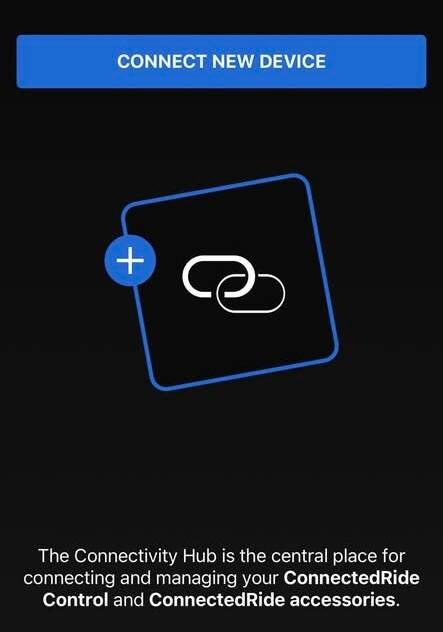
While it's rarely mentioned, the Connectivity Hub of BMW's Connected Ride Navigator is a true connection center for external accessories, such as helmets, smartphones, and smart glasses, regardless of the accessory's generation.
Let's take a closer look.
When using only the menus of the BMW Connected Ride Navigator (CRN), the device offers four specific categories of Bluetooth devices in its Connectivity Hub menu:
Smartphone: Connect your mobile device directly to the CRN. This allows you to stream music, accept or reject calls, and view your contacts on the navigator screen.
Rider's Helmet: Connect the intercom or Bluetooth communication system of your primary helmet. You will then receive voice navigation instructions, call audio, and music playback directly in your ears.
Passenger's Helmet: Simultaneously connect a passenger helmet intercom system. The passenger can then listen to multimedia content or stream music.
Accessories: Designed specifically for BMW Motorrad ConnectedRide physical accessories, such as ConnectedRide smart glasses or ConnectedRide Com systems.


BMW Motorrad offers three distinct ConnectedRide Com systems, based on the advanced Sena platform and designed for native integration with the ConnectedRide Navigator (CRN) ecosystem:
1.ConnectedRide Com U1 (Universal)
Design: External, helmet-independent universal system.
Compatibility: Designed to clip onto virtually all motorcycle helmets, including standard BMW models such as the StreetX, GS Pure, XOMO, and Sao Paulo.
Technologies: Uses Bluetooth and Mesh 2.0 (based on the equivalent architecture of the Sena 50 series).
2. ConnectedRide COM P1 GS
Design: Fully integrated and discreet communication system.
Compatibility: Specifically adapted to the shell geometry and acoustic properties of the latest generation of BMW GS helmets.
Technologies: Based on the high-end Sena 60 Series platform, with enhanced hardware, increased durability for off-road use, and remote firmware updates via the app.
3. ConnectedRide COM P1 System 8
Design: A premium, fully integrated internal communication kit.
Compatibility: Developed exclusively for BMW System 8 modular helmets.
Core Technologies: Also utilizes the Sena 60S technology platform, with custom internal microphone positioning optimized for the dynamics of modular helmets.
What are the features of the CRN?
When you select "Rider Headset" or "Passenger Headset" in your CRN, these three systems synchronize instantly.
Once connected, they allow the handlebar control wheel (Wonderwheel) to directly manage volume, track changes, and phone calls.
Compatibility with older headsets
The BMW Connected Ride Navigator (CRN) is compatible with older BMW communication systems.
You can connect the following universal and older systems directly from the "Rider Headset" or "Passenger Headset" ports on the CRN connectivity hub:
1.BMW Fit-for-All Communication System
Overview: This is the older BMW universal kit, compatible with all helmets, released before the U1.
Design: A discreet, three-button external remote control that can be installed in most helmets.
Compatibility: Fully compatible with the CRN for basic phone calls, navigation instructions, and stereo music streaming via standard Bluetooth profiles.
Adjustment Dial: Audio volume cannot be controlled via the motorcycle's adjustment dial. You must use the physical buttons on the side of the helmet's earcup to increase or decrease the volume. The adjustment dial can still be used to navigate the CRN menus, change tracks, and accept or reject calls.
2.BMW Motorrad V3 (and V2) Communication System
Overview: This is the older range of internal communication systems designed specifically for older helmets such as the System 7 Carbon, System 6, GS Carbon, and AirFlow.
Design: A small integrated keyboard fits into a dedicated slot on the back left of these headsets.
Compatibility: The CRN connects via its standard, backward-compatible Bluetooth battery. However, because the V3 system uses an older Bluetooth standard, advanced Mesh features are not available; it functions as a standard mono/stereo channel between the pilot and the navigator.
Wonderwheel: Similar to the Fit-for-All dial, the Wonderwheel controls the CRN interface (menus, navigation maps, and audio track selection) but does not allow for dynamic adjustment of the master volume. Volume adjustment must be made directly via the headset's integrated button pad.
3.Integrated Audio Systems (Touring Models)
If you ride a BMW Touring motorcycle equipped with an integrated audio system (such as older versions of the K 1600 or R 1250 RT, prior to the TFT display), the CRN can connect to the motorcycle's original onboard audio system via its physical connectors. The device can then output sound through the external fairing speakers or send a main audio mix to your connected headphones.
Wonderwheel: If you route the CRN's audio to your touring motorcycle's original speakers, the Wonderwheel retains full control over the volume and audio quality.
Regarding connecting your smartphone, the BMW CRN, your headphones, and your motorcycle:
Your smartphone should no longer be connected to the TFT display to avoid Bluetooth conflicts, as the BMW Connected Ride Navigator (CRN) takes over.
How to properly connect your helmet and smartphone:
To ensure optimal system performance, you must remove the previous connection on the TFT screen and re-pair all devices with the CRN.
Step 1: Remove previous connections on the TFT screen
Turn on your motorcycle's ignition.
In the TFT screen menu, go to Settings > Connections.
Remove your mobile phone and your motorcycle helmet from the list.
Step 2: Connect your smartphone to the CRN
Turn on the CRN and open the settings.
Go to Connectivity and select Mobile Phone.
Enable Bluetooth on your smartphone, search for the CRN, and confirm the pairing on both devices.
Step 3: Connect the helmet/earpiece to the CRN
Put your earpiece (e.g., Sena, Cardo, or BMW Fit-it-All) into phone pairing mode (phone pairing mode, not intercom pairing mode).
In the CRN menu, go to Connectivity and select Headset (or Earbud).
Tap "Pair a new headset."
Select your earbud from the list and confirm the connection.
Once connected, the audio from your smartphone (music/calls) will be routed directly to your earbud via the CRN, and the TFT screen will be completely disabled.
As you can see, despite its discreet design, the Connectivity Hub is a true powerhouse of Bluetooth connectivity technology, allowing the use of a wide range of accessories from all manufacturers without any apparent difficulty.
Feel free to leave a comment if you have any questions.
Ride Safe
Ajouter un commentaire
Commentaires